
Enrollment Instructions for Ultimate Outdoor Challenge Team Coaches:
We have implemented a new enrollment system, so the process is much different this year than last. Please follow these instructions to enroll your team. Please note only coaches of teams can enroll the team:
Click on the link at the bottom of the page to ENROLL your team in the 2026 Ultimate Outdoor Challenge.
You will see the following screen:
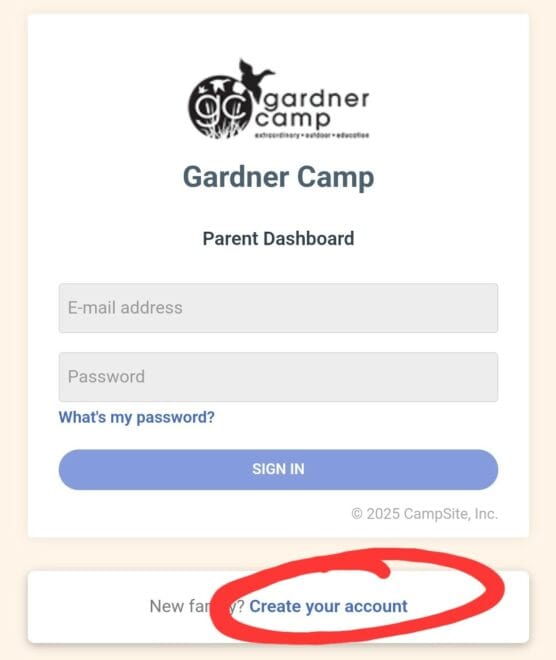
- Click Create Your Account and enter your information as Parent #1. For Relationship, select Guardian, and continue through the form. (NOTE: If you have already created an account in the new system, simply log into your account and click Enrollment on the left side of your screen. Click Add Participant and follow step #2-6.)
- When you get to Participant Information, ENTER YOUR INFORMATION here. (For Grade Entering, select HS Grad and enter None for School.)
- Click CONTINUE TO ENROLLMENT OPTIONS.
- Click ADD OPTION for Ultimate Outdoor Challenge- Team Enrollment.
- Complete Enrollment Questions. (Participant T-Shirt Size is your shirt size.) You will need to enter a cell phone number and email address of a parent for each of your competitors. If the competitor is your child, just type MY CHILD in these spaces.
- Follow prompts to continue. You will need to click on the waiver in Family Forms and complete the waiver. Then follow the remaining prompts until you are able to click on SUBMIT ENROLLMENT.
Congratulations! Your Team in NOW ENROLLED in the 2026 Ultimate Outdoor Challenge!
In the next 3-5 days, your competitors' parents will receive instructions to enroll their child so we have all the information we'll need from them. You will receive an email (or text if you selected that as your preferred method of communication) letting you know when all competitors' information is complete.